
Saily eSIM Review for Travel: Plans, Setup, Coverage and Privacy
Updated 25 October 2026. Saily plans, prices, destination lists, network partners, activation rules, device support, security features, refund terms and the phone-number add-on can change. Check the exact plan and current terms before departure.
Featured image: traveller using a smartphone for mobile connectivity while travelling, photographed by Ketut Subiyanto via Pexels. This is an illustrative travel image, not a Saily product screenshot.
Travellers who want data for maps, bookings, translation, menus, messaging and hotspot use where the plan allows it.
Destination list, phone unlock status, eSIM support, plan validity, data limits, hotspot terms and primary-line settings.
A data eSIM automatically includes a phone number, ordinary calls, SMS, every local network or unlimited high-speed data.
Download maps, save accommodation details and carry an offline first-meal and airport plan before leaving Wi-Fi.
What you’ll find in this guide: the verdict at a glance, what Saily includes, plans and current price context, data versus phone features, setup and activation, device checks, coverage and hotspot use, privacy claims, refunds and support, vegan-travel uses, and FAQs.
Restaurant planningPacking guideItinerary around mealsTravel apps
Saily eSIM review at a glance
| Question | Practical answer | What to verify |
|---|---|---|
| What is Saily? | An app-managed eSIM service primarily built around prepaid mobile data. | The exact country, region or global plan and its current terms. |
| Who is it for? | Travellers who want to get online without buying a physical SIM at the airport. | Whether your phone is unlocked and eSIM-compatible. |
| What plans exist? | Country, regional, global and some unlimited or subscription-style options. | Data amount, duration, high-speed allowance, fair-use wording and destination list. |
| Does it include a phone number? | Do not assume so. Saily separately advertises a US phone-number add-on. | Price, identity requirements, supported country and whether calls, SMS and 2FA are included. |
| Can you hotspot? | Saily advertises hotspot sharing on current plan pages. | The exact plan, device settings, fair-use limits and local network conditions. |
| Can you get a refund? | Non-installed or non-activated plans may qualify for a full refund within 30 days; activated plans are conditional. | Activation status, data used and the current support policy. |
Best for app-based data across supported country, regional and global destinations. Current official pages advertise 200+ destinations, one reusable eSIM, data plans from 1 GB to unlimited options, and a separate US phone-number feature.
What does Saily include?
Saily provides a digital eSIM profile and a mobile-data plan managed through its app. There is no physical SIM to collect or swap, and Saily’s official site says you can add new destinations to the same eSIM rather than installing a new profile for every trip.
- App-based purchase and management: choose a destination or region, buy a plan, install the eSIM and monitor usage in the app.
- Mobile data: use maps, bookings, translation, food research, messaging and internet calling where the purchased plan has service.
- Country, regional and global choices: the right format depends on borders, duration and how much data you need.
- Hotspot sharing: advertised on current plan pages, but confirm the exact plan and device settings.
- Optional security features: Saily markets ad blocking, malicious-URL protection and virtual-location features. These are provider claims, not an independent security audit.
- Separate phone-number feature: the current official homepage advertises a US number with calls and texts for US$1.99 per month, with identity verification after purchase.
What plans, destinations and validity periods does Saily offer?
Saily sells local, regional and global data plans, with options ranging from small fixed-data packages to unlimited or subscription-style products in selected markets. Do not compare an “unlimited” label without reading the high-speed allowance and reduced-speed wording.
Current Europe snapshot checked 25 October 2026: Saily’s official Europe page displayed a 35-country list, 1 GB for 7 days at US$4.99, 3 GB for 30 days at US$12.49, 5 GB for 30 days at US$19.49, 10 GB for 30 days at US$35.99, 50 GB for 90 days at US$95.99, and an unlimited 15-day option at US$49.99. Prices, promotions, taxes and available durations can change, so treat this as a dated reference rather than a quote.
| Plan type | Useful for | Main risk | Check before paying |
|---|---|---|---|
| Single-country | A short trip within one country. | A border crossing or territory may fall outside the plan. | Exact country and network list. |
| Regional | Multi-country journeys such as a Europe itinerary. | The region label may not include every territory you visit. | Country list, duration and activation window. |
| Global | Several regions or repeated travel. | “Global” does not mean every country or the same speed everywhere. | Destination coverage, high-speed allowance and expiry. |
| Unlimited | Heavy data use or travellers who do not want to count gigabytes. | High-speed data may be capped or reduced after a daily allowance. | Fair-use, throttling, hotspot and duration terms. |
| Monthly or Ultra-style | Longer stays or frequent travel. | A subscription can continue beyond one trip if not managed. | Renewal, cancellation, global data limits and included perks. |
One useful current detail from Saily’s official pages is that plans can activate when you reach the destination or 180 days after purchase. That makes pre-trip installation practical, but it also means you should not buy far ahead without checking the activation window.
Is Saily data-only, or does it include calls and texts?
Separate the connection you use for internet data from the phone-number service you use for ordinary calls, SMS or verification codes.
| Need | What a standard Saily data plan can do | What needs a separate check |
|---|---|---|
| Maps and bookings | Use mobile data where the plan covers the destination. | Remote coverage, network congestion and data allowance. |
| WhatsApp, iMessage or internet calling | Usually works over data when the app and contact have internet access. | Account setup, roaming settings, data use and the other person’s app. |
| Your home number | You may keep your physical SIM or primary eSIM active for calls and SMS. | Roaming charges, dual-SIM settings and whether the phone supports both lines. |
| A local or travel phone number | Not automatically included in the data plan. | Saily’s separate US number product, price, identity verification, calls, texts and 2FA support. |
| Restaurant or hotel calls | Use internet calling or your existing line if practical. | Whether the business accepts messaging apps or whether ordinary voice is necessary. |
For food research, a data plan is often enough for maps, menus, translation and messages. It is not a guarantee that a restaurant, accommodation or airline can be reached by ordinary voice or SMS.
How do you install and activate Saily?
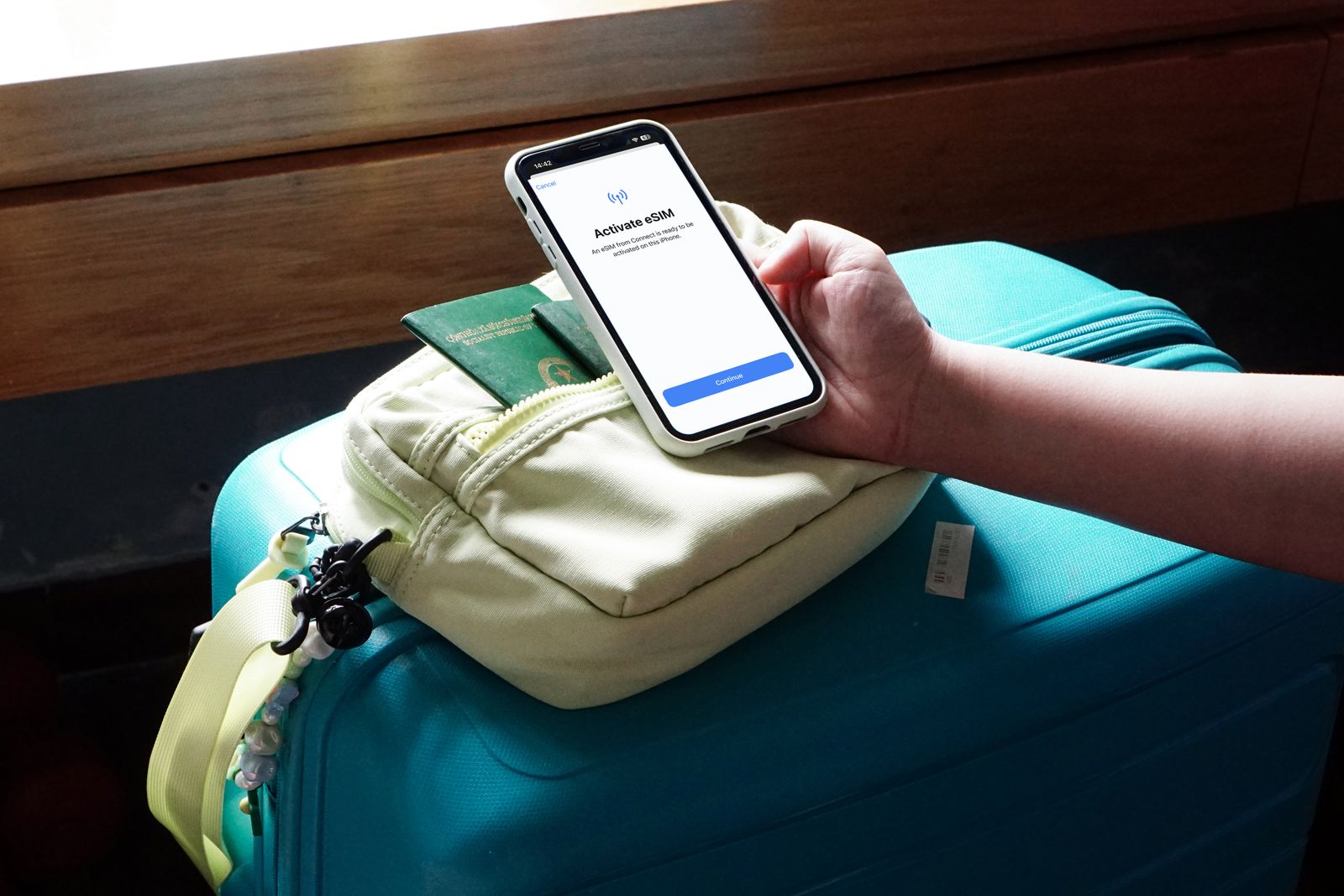
Install before departure over reliable Wi-Fi, then activate only when the plan and phone settings are ready. A pre-installed eSIM is useful when you land tired or need directions immediately, but do not delete the profile after installation.
- Check the phone: confirm it is carrier-unlocked, eSIM-compatible, updated and charged.
- Choose the exact plan: select the countries and duration you actually need, then save the purchase confirmation.
- Install over Wi-Fi: follow Saily’s app instructions and label the line clearly.
- Keep your primary line purposeful: decide which line handles calls and SMS, and which line handles mobile data.
- At arrival: turn on the Saily line, select it for mobile data and enable data roaming if Saily’s instructions require it.
- Test carefully: open a map or website, check the data indicator, and confirm your primary line is not creating unexpected roaming charges.
- Save a backup: keep the support route, booking details, offline map and first-meal plan available without relying on the connection you are troubleshooting.
Which phones support Saily?
Saily’s current supported-device page states that the phone must be carrier-unlocked and support eSIM technology. The same model name can have different support depending on the market where it was sold, so check both Saily’s list and the phone’s own settings.
- Search the exact model on Saily’s current supported-device list.
- Confirm the phone is unlocked rather than restricted to one carrier.
- Check the device settings for an option such as “Add eSIM” or “Add mobile plan.”
- On a dual-SIM phone, decide which line handles mobile data, calls and texts.
- Install system updates and back up the phone before travelling.
- Do not delete the Saily profile while troubleshooting unless support specifically instructs you to do so.
Compatibility is a purchase gate, not a detail to check after arrival. If the device is locked or incompatible, an otherwise suitable plan will not solve the problem.
How good are Saily’s coverage, speed and hotspot features?
Saily connects through local network partners. The real experience depends on the destination, partner network, terrain, congestion, device bands and plan terms. A provider’s “200+ destinations” headline is useful for discovery but is not a promise of identical speed or coverage in every place.
| Feature | What Saily says or advertises | How to evaluate it |
|---|---|---|
| Coverage | Country, regional and global plans across a large destination list. | Check the exact country, territory and local partner network. |
| Speed | 4G/LTE/5G access where available on the partner network. | Look for fair-use, speed caps, device compatibility and local congestion. |
| Hotspot | Advertised on current plan pages. | Confirm tethering is allowed and whether a daily or plan-level limit applies. |
| Remote areas | No eSIM can create a signal where local networks have none. | Download offline maps and carry a second route or communication plan. |
| Border regions | The phone may connect to a different network or country near a border. | Review data-line settings and disable automatic use when appropriate. |
For a laptop or tablet, test hotspot use before a work-critical trip. If you need a large amount of tethered data, compare the plan’s high-speed and fair-use wording rather than choosing by the word “unlimited.”

Compare Saily with our Roamless review, Holafly review and Europe eSIM guide. The best fit depends on data volume, countries, duration, hotspot needs and whether you need separate calling or SMS features.
What are Saily’s privacy and security features?
Saily markets features such as malicious-URL blocking, ad blocking and virtual locations. Those features may be useful, but they should not be treated as a complete privacy solution or an independent security certification.
- Read the current Saily privacy policy for account, payment, device and usage information.
- Use a strong account password and secure the email account connected to the purchase.
- Keep your device, browser and travel apps updated.
- Do not treat an eSIM as a substitute for HTTPS, sensible public-Wi-Fi behaviour or a device lock.
- Review app permissions and save receipts and support information before removing the app.
- Remember that a virtual-location feature is not automatically the same thing as a full VPN service.
What is Saily’s refund policy and support like?
Saily’s current help-centre article says a full refund may be requested within 30 days of purchase when the eSIM has not been installed or the data plan has not been activated. Once installed and activated, Saily says it cannot guarantee a full refund, although a partial or full refund may be considered when more than 99% of the data remains or a Saily-related quality issue prevented use.
| Situation | What the current support article says | Practical step |
|---|---|---|
| Not installed or not activated | A full refund may be requested within 30 days of purchase. | Do not activate while troubleshooting; keep the receipt and contact support. |
| Activated with almost all data unused | Partial or full refund may be considered when more than 99% remains. | Document the issue quickly and do not use additional data while waiting. |
| Normal used plan | A full refund is not guaranteed after activation. | Read the current terms before buying and keep a backup connection. |
| Need help while travelling | Saily directs users to support through its app and advertises 24/7 chat on current plan pages. | Save the support route before departure and keep Wi-Fi or another connection available. |
Why is Saily useful for vegan travellers?
Reliable data can reduce food-planning friction, but it does not replace preparation. Use the connection to check current menus, translate ingredient questions, save supermarket locations, contact accommodation and find a late-arrival meal.
- Before departure: download your best travel apps, save key maps, screenshot accommodation details and write a short dietary phrase in the local language.
- On arrival: keep one offline route from the airport or station to your accommodation and one first-meal backup.
- During the trip: search current menus and opening hours, but confirm dedicated vegan options, allergens and cross-contact directly when needed.
- When the signal fails: use saved maps, screenshots, printed addresses and a small shelf-stable snack backup.
See the best travel apps guide for offline setup and the vegan travel planning guide for meal anchors and contingency planning.
Should you buy Saily?
| Choose Saily when… | Compare another option when… |
|---|---|
| You want app-based data and do not want to swap physical SIMs. | You need a local number or ordinary calls and SMS included in the same plan. |
| You are visiting several listed countries and a regional plan is simpler. | Your itinerary includes territories or remote regions that are not clearly listed. |
| You prefer fixed data or a clearly stated daily high-speed allowance. | You need heavy tethering and the plan’s hotspot or fair-use terms are restrictive. |
| You can install before departure and keep an offline backup. | You are relying on the eSIM as your only route, booking, payment or emergency connection. |
| You value a reusable eSIM and app-based management. | You only need a small amount of data and a local SIM is much cheaper and easy to obtain. |
My practical verdict: Saily is a credible travel-data option for route-specific planning, especially when you want one reusable eSIM, app management and regional choices. Buy it for a clearly checked itinerary, not because a broad destination count or security headline sounds reassuring.
Saily eSIM FAQs
Is Saily a data-only eSIM?
Standard Saily travel plans are primarily mobile-data plans. Do not assume they include a phone number, ordinary calls or SMS. Saily separately advertises a US phone-number add-on with its own price and identity-verification requirements.
When should I install Saily?
Install it before departure over reliable Wi-Fi, but check when validity begins. Saily’s current official pages say plans activate at the destination or 180 days after purchase.
Does Saily work on every phone?
No. The phone must support eSIM technology and be carrier-unlocked. Check the exact model on Saily’s current supported-device list and in the phone’s settings.
Can I use Saily as a hotspot?
Saily advertises hotspot sharing, but confirm the exact plan, device settings and any fair-use or speed limits before relying on it for a laptop or tablet.
Does Saily cover every country?
No provider’s broad destination count means every country, territory, network or speed is identical. Check the exact destination list, especially for islands, border areas and remote regions.
Can I keep my home number?
Often, if your phone supports dual-SIM use, but you must set the primary line and data line carefully. Check your home carrier’s roaming charges before leaving that line active.
Can I get a refund?
Saily says a full refund may be requested within 30 days when the eSIM has not been installed or the plan has not been activated. Activated plans are conditional, and a full refund is not guaranteed.
Is Saily a VPN?
No. Saily markets security and virtual-location features, but a virtual-location feature is not automatically the same as a full VPN. Read the current product and privacy information for the feature you plan to use.
Useful sources and verification
Checked 25 October 2026. Plans, prices, coverage, network partners, activation windows, device lists, security features, refund terms and phone-number features can change by market and date.
- Saily official homepage — current plan categories, one-eSIM positioning, phone-number feature, activation wording and advertised security features.
- Saily Europe plan page — current dated Europe price snapshot, 35-country list, plan durations and high-speed wording.
- Saily supported-device list — carrier-unlocked and eSIM-compatibility requirements.
- Saily refund policy — 30-day non-activated refund wording and activated-plan conditions.
- Saily privacy policy — current provider privacy information.
- eSIM activation image source on Pexels — credited illustrative image.
- Navigation image source on Pexels — credited illustrative image.
External sites can change or block automated requests. Verify the current provider, carrier, airport, destination and phone settings again before departure.
Related vegan travel guides
Set up offline maps, food research, translation and backup tools before leaving Wi-Fi.
Pack snacks, documents, medication and useful backups without overloading your bag.
Compare a different connectivity model with pay-as-you-go data and separate calling features.
Compare route-fit choices for multi-country European trips.
Next step: confirm your phone is unlocked, check the exact destination list and plan terms, install over Wi-Fi, and save an offline food and route backup before departure.